To give the website access to your OSM account, please head into your OSM account.
You will need to go to: Settings → My Account Details → Developer Tools → Create Application.
In here it should give you a Client ID and Client Secret.
Send these ‘keys’ across to us and remember to tell us which of the three OSM options you want.
Click here for a reminder of the three OSM options. Remember that you can have one or more than one.
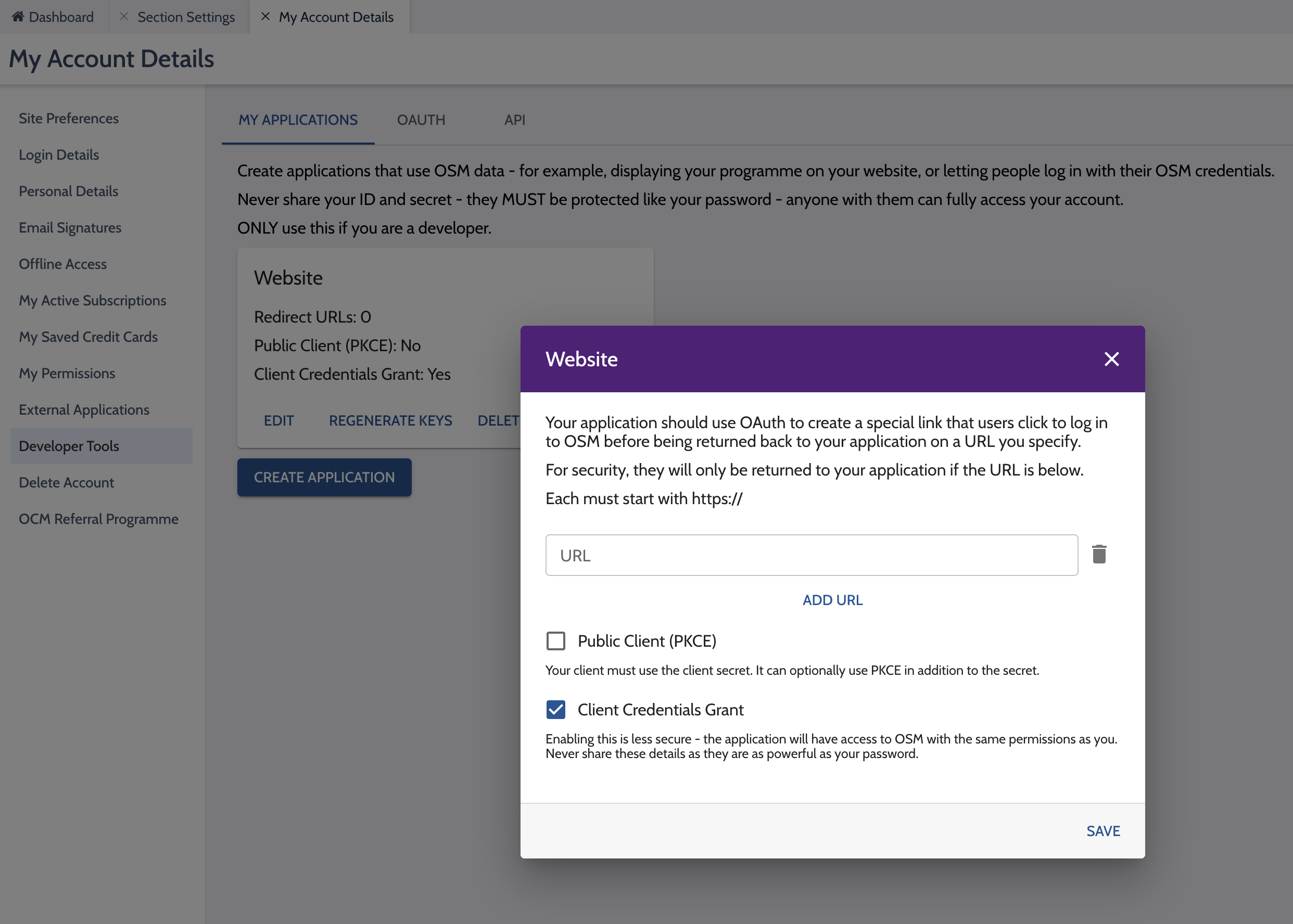
Once you have created the application, click 'Edit' on the box and then within the pop-up tick 'Client Credentials Grant' and then click Save.
See the screenshot below.
This last step is new in 2026 and is important. The OSM feed will not work if you do not follow this step.