
Your homepage is split into various sections. You can edit most of these sections in the same way that you do with any other page of your website.
Here’s how (NB You may find it easier to have your website and your dashboard open in two separate tabs, which you can then display side by side as you work):
Log in to your website.
Go to your homepage and click on Edit Page at the top.
This is what you will see.
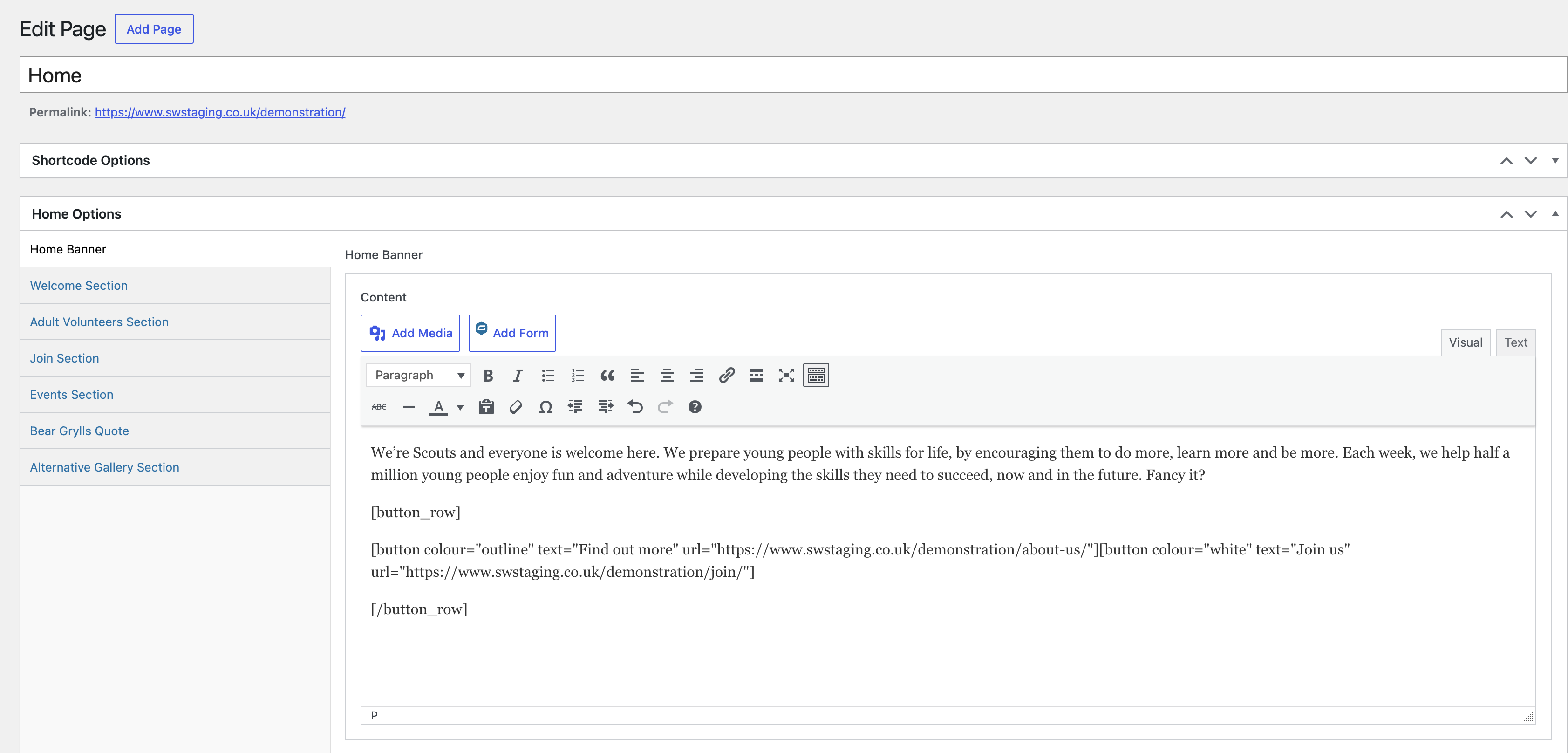
The Home Options list on the left-hand side shows the different sections of the homepage. Click on one to edit that section.
Remember to click Update when you make a change.
You will need to refresh your homepage to see the change(s) you made.
NB We have replaced the ‘Bear Grylls Quote’ section with a link to the Scouts’ Place to Belong Strategy to 2035. This cannot be changed.