When you log in to your website the first thing you will see is your dashboard.
The dashboard is the ‘console’ from where you make changes to your site. It is sometimes called the ‘back-end’, as opposed to the ‘front-end’ which is what visitors to your site see.
The dashboard will look something like the one in the image below. (Your dashboard may look a bit different. It depends on what features you have on your site, such as OSM and WooCommerce.)
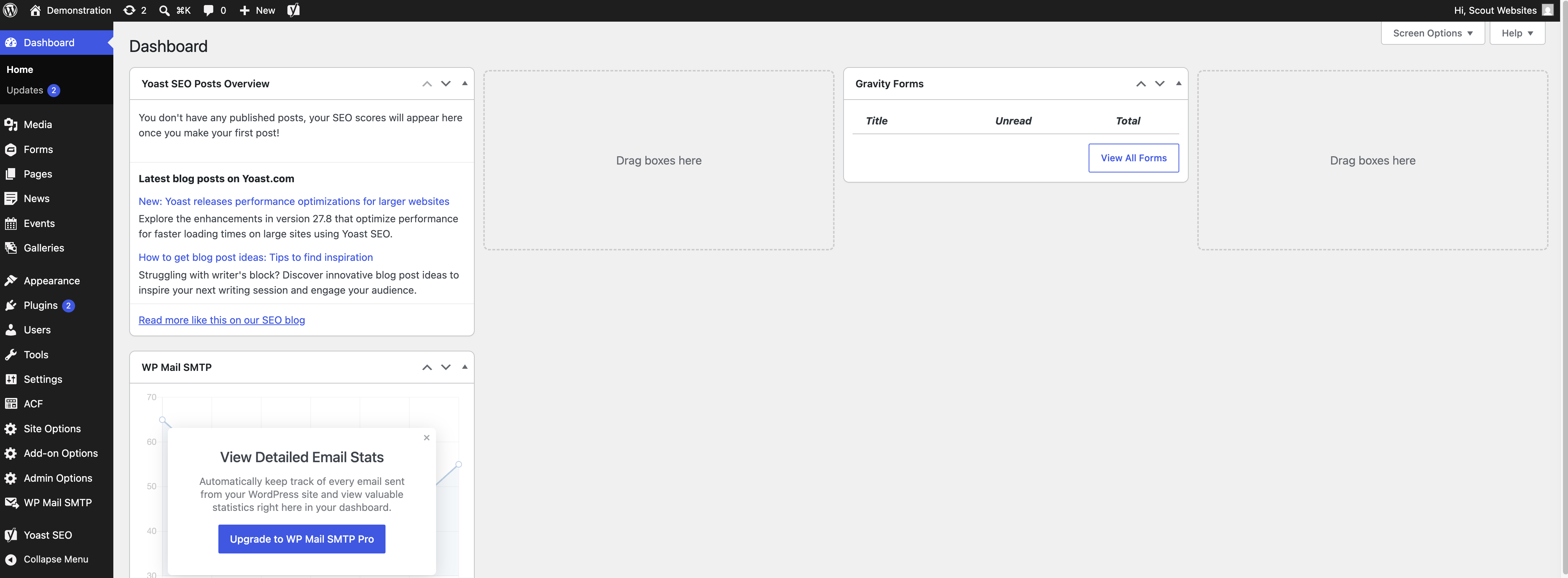
You can use the bar across the top of the page to toggle between the dashboard and the front-end of the website.
Hover over the home icon (your website name which replaces ‘Demonstration’ in the example above) and click Visit Site. This will take you from the dashboard to the website and vice versa.
You may find it helpful to have the dashboard and the front-end open in different tabs.
Use the sidebar to navigate between any of the sections across your site.
Please ignore any update requests across the site. We will run any necessary updates on our end. If you do select this then it may cause some disruption to your website.