
When you are working on a page or post in the editing area (‘back office’), you can work in visual editor or code editor.
You will need to work in code editor if you want to add or delete rows and columns in a table.
This is what the default table on your Playground page looks like in code editor.
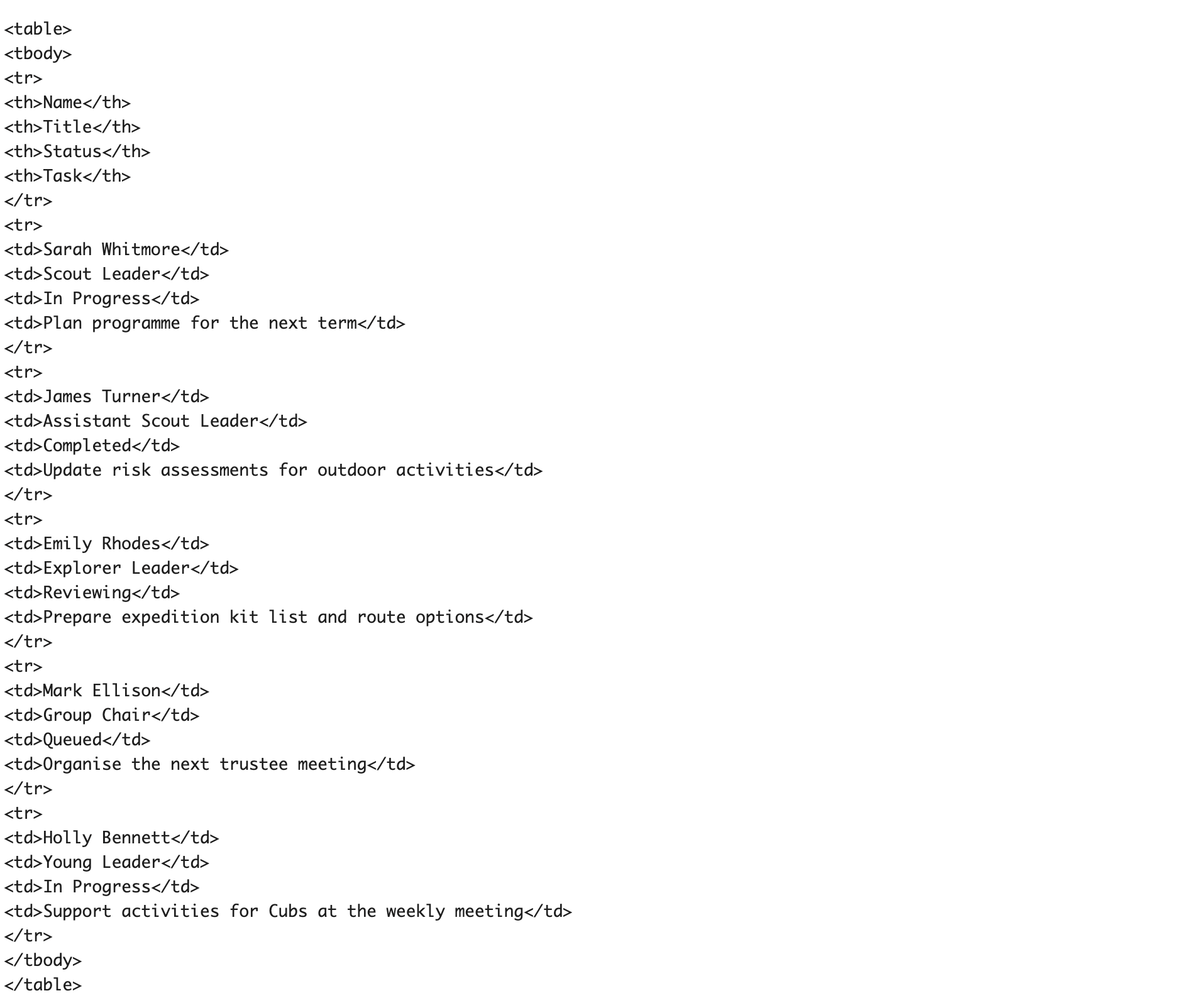
Every row starts with <tr> and ends with </tr>.
<th> relates to the cells in the header row.
<td> relates to the cells in each content row.