It is easy to add and delete a column in a table.
Click here to read about looking at a table in code editor.
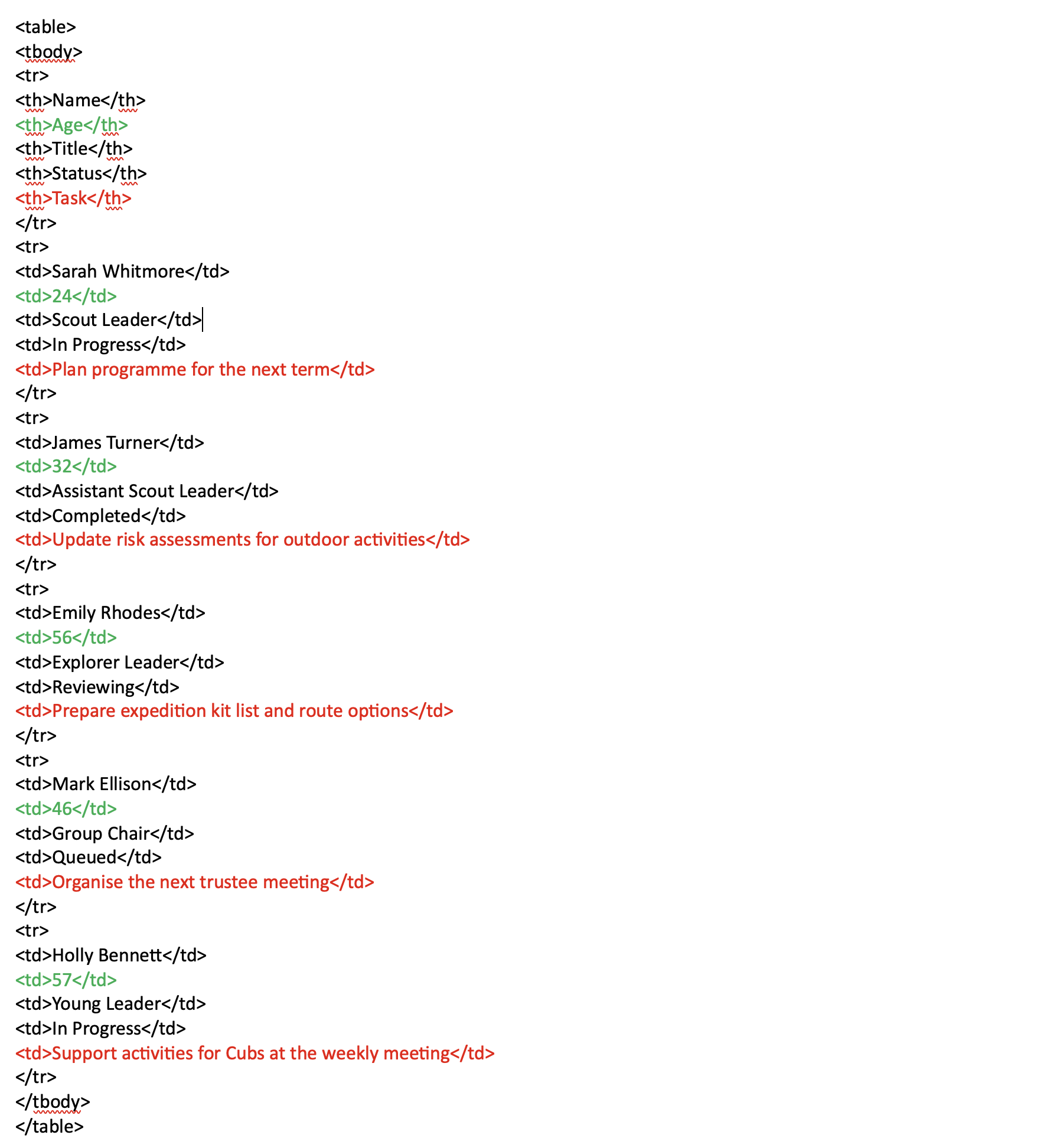
The image below shows a simple table consisting of four columns and five rows. The first row is the header row.
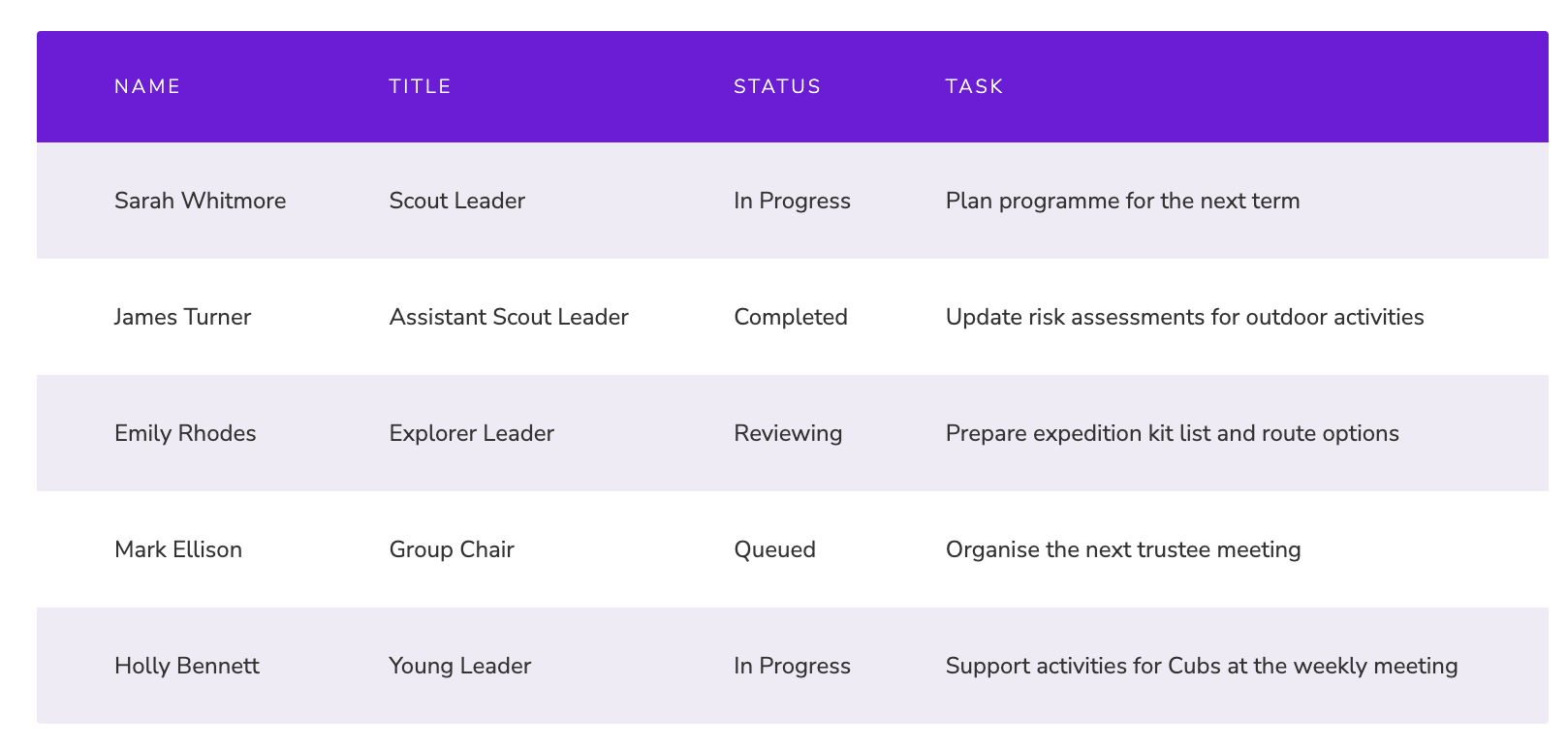
The image below is how the table looks in code editor.
Every row starts with <tr> and ends with </tr>.
Within each row, every column appears in order.
If I wanted to delete the fourth column (the Task column), I would simply delete the shortcodes highlighted in red. Note that it is the fourth shortcode in each row.
If I wanted to add an Age column after the Name column I would simply insert the shortcodes shown in green after the Name shortcode. Note that it is the second shortcode in each row because it is the second column.
Be aware that the website can only show a table of a certain width. It will depend on how wide the columns are, but you cannot have an indefinite number of columns.