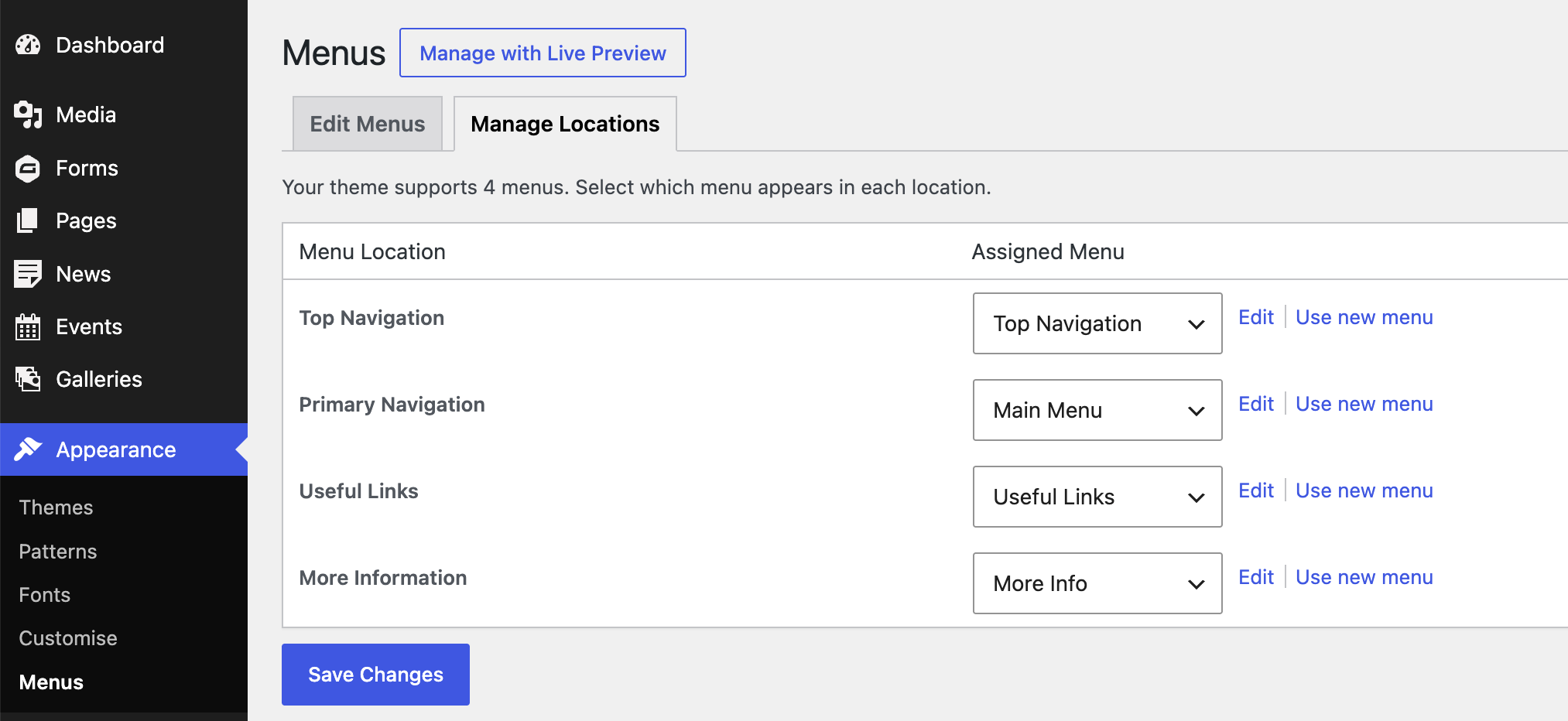
There are other menus on your site in addition to the Main Menu. You can edit any of the menus.
Click here to read our article about how to make changes to a menu.
When we build your website we include four menus.
They are:
Primary Navigation – that’s the Main Menu.
Top Navigation – at the very top of the page.
Useful Links – part of the footer at the bottom of the page.
More Information – also part of the footer.
To see your other menus:
Log in and go to your dashboard.
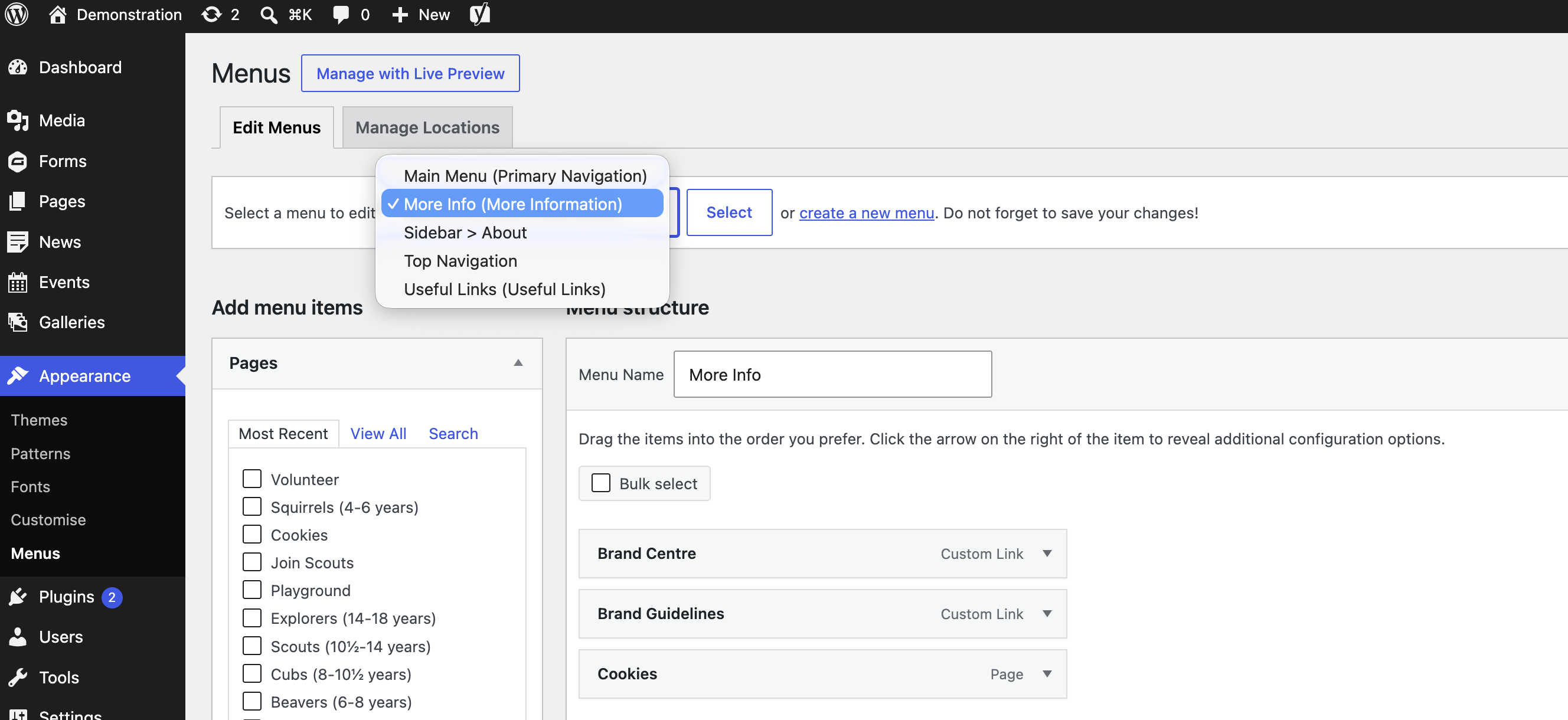
Click on Appearance in the sidebar and then Menus.
Go to Select a menu to edit.
Click the dropdown.
Select the one you want to view and click Select.
In the example below I selected the More Information menu.
You can also create a new menu but you can only display four menus in total, so if you create a new menu it will have to replace one of the four menus already being displayed.
You can assign a particular menu to a location on your website. This is useful if you have created a menu of your own that you want to display.
Click on Manage Locations in the Menus area of the dashboard.
Use the dropdown menu to change the assigned menu.
Click Save Changes.